
Asking Questions
Chat is where you ask questions. The AI works out which of your connected systems hold the answer, runs the queries, and replies - in words, or with a table, chart or map you can save.
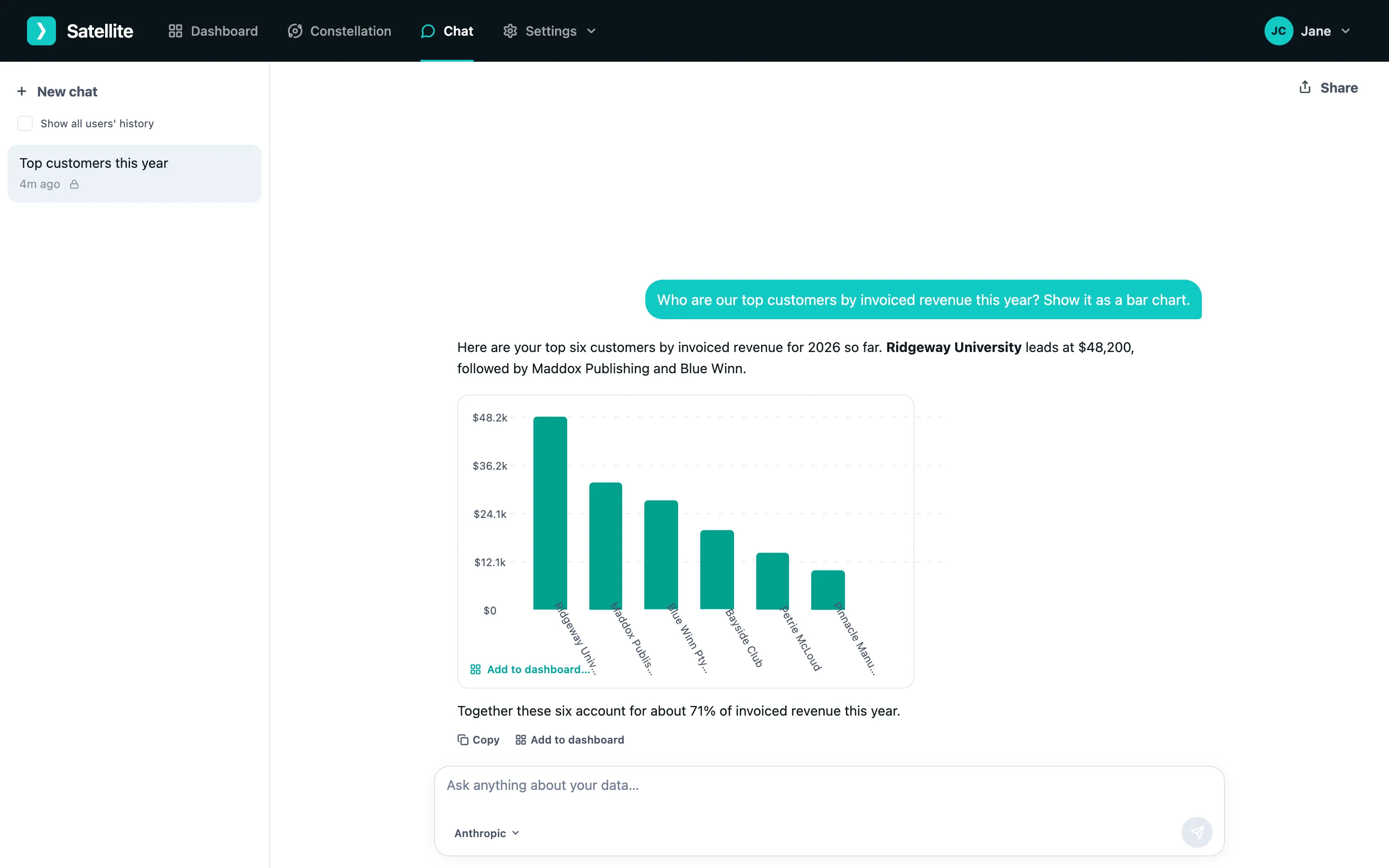
Asking a question
Section titled “Asking a question”- Open Chat. Your most recent conversation opens; click New chat for a fresh one.
- Type your question and press Enter. Plain English works: “Which customers owe us the most?”, “How many new contacts did we add each month this year?”.
- While it works, you can watch the steps - which data it queried and what it found - by expanding them under the answer.
Follow-up questions keep the context: “now just for Queensland” or “show that as a pie chart”.
One question, many systems
Section titled “One question, many systems”The AI can query several connections to answer a single question - for example invoices from Xero and deals from HubSpot for “which deals closed last quarter have unpaid invoices?”. You do not need to say where the data lives.
Documents
Section titled “Documents”If SharePoint or OneDrive is connected, questions about your documents are answered from them with a citation to the file.
Saving an answer
Section titled “Saving an answer”Hover over a chart, table or insight in an answer and click Add to dashboard. Choose the dashboard (or create one) and it becomes a widget that refreshes on its own. See Creating a dashboard.
Stopping and managing chats
Section titled “Stopping and managing chats”- Stop halts a long-running answer.
- Conversations are listed on the left; rename or delete them from their menu.
- Share a conversation to give someone a read-only link to it.